PSCU QuickAssist

PSCU QuickAssist
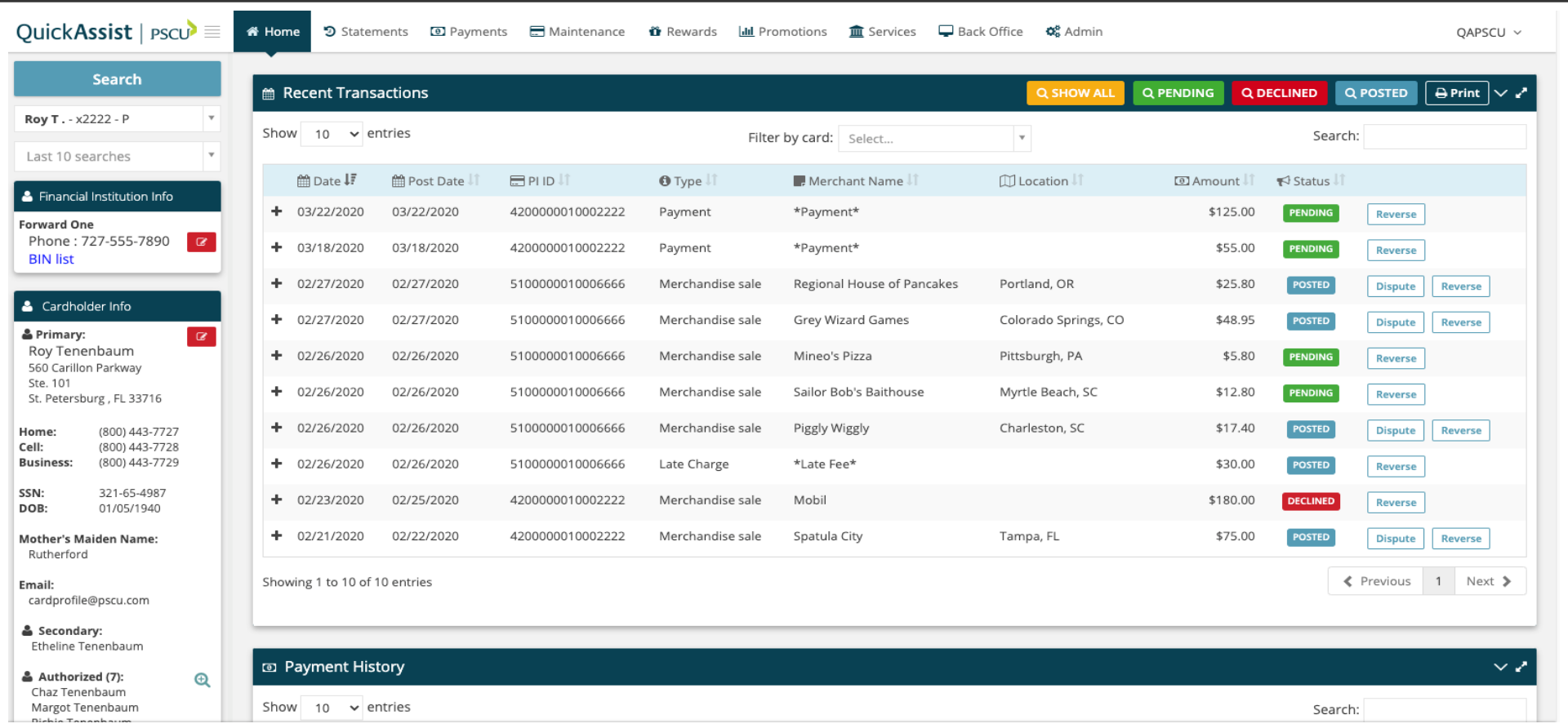
This application integrates PSCU QuickAssist with DNA, allowing the employee to view and manage the PSCU account without launching a separate application, logging in again, and searching for the desired account.
Version Information
v1.1.20.1 Published – May 2026
Documentation
Overview
Accounts serviced by PSCU are displayed in DNA as external accounts, however there is no ability to manage these accounts or display real-time account information. Financial Institution employees today must open a separate browser window, navigating to PSCU QuickAssist, log in to QuickAssist and re-enter search information to locate an account.
This application integrates PSCU QuickAssist with DNA, allowing the employee to simply highlight the external account and click the "Quick Assist" menu item. PSCU QuickAssist is displayed within DNA, allowing the employee to view and manage the PSCU account without launching a separate application, logging in again, and searching for the desired account.
This is the server side of the PSCU QuickAssist application. The companion, client side DNAapp is available from at AppMarket.com. The server side application creates a single sign on SAML token, then digitally signs and encrypts it per PSCU's specifications.
Key Benefits:
Achieve seamless integration between DNA and PSCU QuickAssist.
- Real-time PSCU account information and management without ever leaving DNA.
- Employee efficiency and ease-of-use is improved when dealing with PSCU accounts.
- Single sign on between DNA and PSCU QuickAssist.
- There are fewer passwords for employees to remember.
Supported Versions & Downloads
Only the client–server combinations listed below are supported. Installing incompatible versions may result in runtime errors or application failure.
| DNA Version | DNA Client Download | Supported Server Download |
|---|---|---|
| ≥ 26.1 | 2026.1.0.0 | 1.1.20.x (Current: 1.1.20.1) |
| ≥ 25.1 | 1.1.0.20 | 1.1.20.x (Current: 1.1.20.1) |
| ≥ 24.2 | 1.1.0.19 | 1.1.18.x (Current: 1.1.18.2) |
| ≥ 22.3 | 1.1.0.18 | 1.1.18.x (Current: 1.1.18.2) |
The installed DNA client version can be found in the DNA App Management Console.
Screenshot